
Team Accounts with Product-Scoped Access
Give staff access without sharing the owner login.
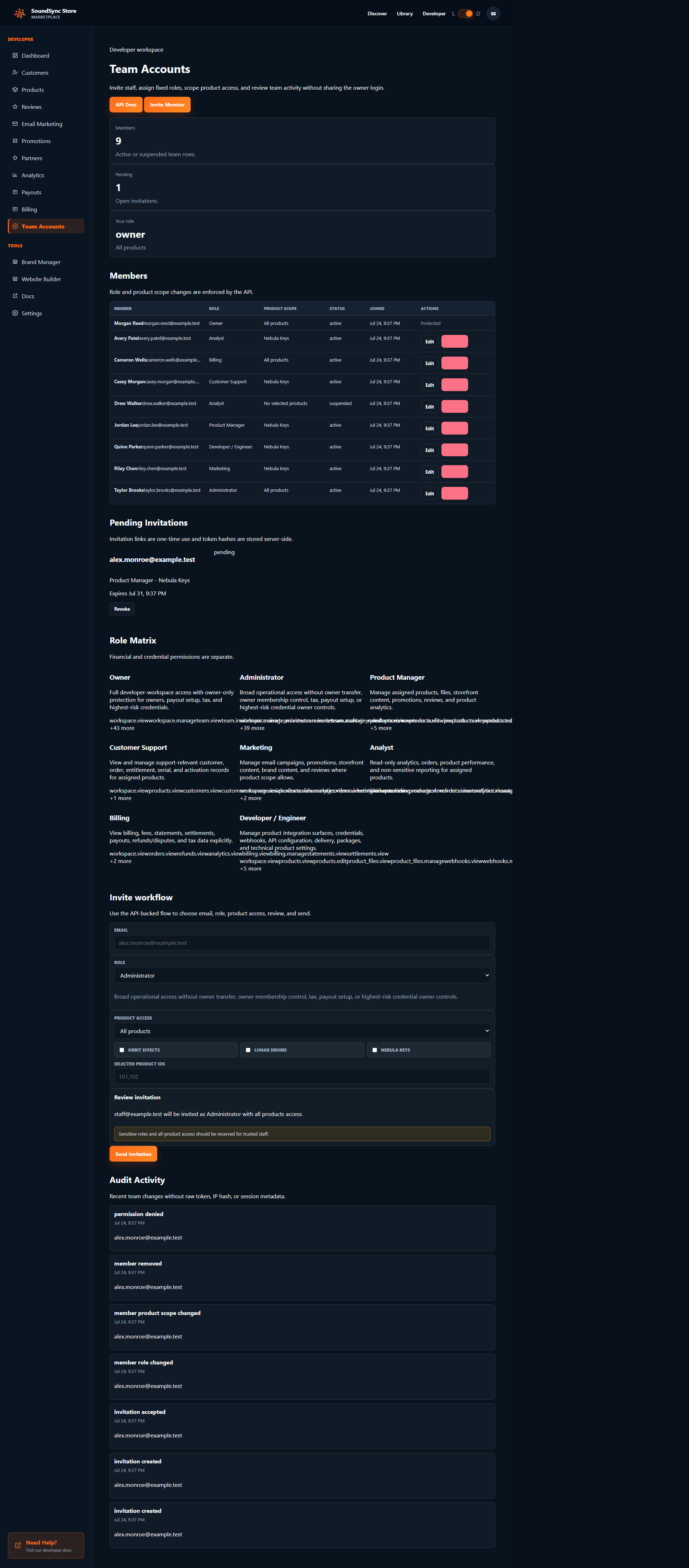
Invite team members, assign fixed roles, limit access to selected products, separate finance and credential permissions, review audit activity, and revoke sessions when roles or access change.
SoundSync
Role model
Fixed roles keep access understandable.
Owner
Owner permissions are documented with product-scope boundaries.
Administrator
Administrator permissions are documented with product-scope boundaries.
Product Manager
Product Manager permissions are documented with product-scope boundaries.
Customer Support
Customer Support permissions are documented with product-scope boundaries.
Marketing
Marketing permissions are documented with product-scope boundaries.
Analyst
Analyst permissions are documented with product-scope boundaries.
Billing
Billing permissions are documented with product-scope boundaries.
Engineer
Engineer permissions are documented with product-scope boundaries.
SoundSync
Invitations
Invitations is explained from the launch decision it supports, not as a generic platform module.
Launch decision
Clarify when a developer should use invitations and what must be configured before it goes public.
Customer moment
Describe what the buyer, account holder, or partner sees when invitations affects the experience.
Operational signal
Connect invitations to the settings, activity, reporting, or support context that keeps it understandable after launch.
SoundSync
Fixed roles
Fixed roles protects developer accounts, customer information, and staff access as the business grows.
Access boundary
Limit visibility by workspace, role, product scope, sensitive permission, session state, and credential responsibility.
Privacy expectation
Keep customer data, screenshots, exports, support context, and account information scoped to the people who need it.
Review trail
Use audit activity, session revocation, permission checks, and operational review so access changes are explainable later.
SoundSync
Product scope
Product scope is documented around the workflow it belongs to and the boundary developers need to understand.
Workflow fit
Place product scope inside the surrounding SoundSync path instead of treating it as an isolated feature.
Boundary
Explain what SoundSync handles, what the developer still owns, and what should not be promised publicly.
Follow-through
Point the page toward the next setup, docs, reporting, or support action that naturally follows product scope.
SoundSync
Sensitive permissions
Sensitive permissions protects developer accounts, customer information, and staff access as the business grows.
Access boundary
Limit visibility by workspace, role, product scope, sensitive permission, session state, and credential responsibility.
Privacy expectation
Keep customer data, screenshots, exports, support context, and account information scoped to the people who need it.
Review trail
Use audit activity, session revocation, permission checks, and operational review so access changes are explainable later.
SoundSync
Session revocation
Session revocation protects developer accounts, customer information, and staff access as the business grows.
Access boundary
Limit visibility by workspace, role, product scope, sensitive permission, session state, and credential responsibility.
Privacy expectation
Keep customer data, screenshots, exports, support context, and account information scoped to the people who need it.
Review trail
Use audit activity, session revocation, permission checks, and operational review so access changes are explainable later.
SoundSync
Audit logs
Audit logs protects developer accounts, customer information, and staff access as the business grows.
Access boundary
Limit visibility by workspace, role, product scope, sensitive permission, session state, and credential responsibility.
Privacy expectation
Keep customer data, screenshots, exports, support context, and account information scoped to the people who need it.
Review trail
Use audit activity, session revocation, permission checks, and operational review so access changes are explainable later.
SoundSync
Multi-workspace safety
Multi-workspace safety protects developer accounts, customer information, and staff access as the business grows.
Access boundary
Limit visibility by workspace, role, product scope, sensitive permission, session state, and credential responsibility.
Privacy expectation
Keep customer data, screenshots, exports, support context, and account information scoped to the people who need it.
Review trail
Use audit activity, session revocation, permission checks, and operational review so access changes are explainable later.
SoundSync
Mobile experience
Mobile experience has to earn its place on the page by explaining a real product-business outcome.
What changes
State the concrete behavior mobile experience changes for setup, checkout, access, delivery, growth, or support.
Why it matters
Tie mobile experience to a developer or customer problem that would otherwise require manual work or disconnected tools.
How it stays visible
Show where status, activity, reporting, or documentation keeps mobile experience reviewable after release.
SoundSync
Security proof
Security proof protects developer accounts, customer information, and staff access as the business grows.
Access boundary
Limit visibility by workspace, role, product scope, sensitive permission, session state, and credential responsibility.
Privacy expectation
Keep customer data, screenshots, exports, support context, and account information scoped to the people who need it.
Review trail
Use audit activity, session revocation, permission checks, and operational review so access changes are explainable later.
SoundSync
Product proof
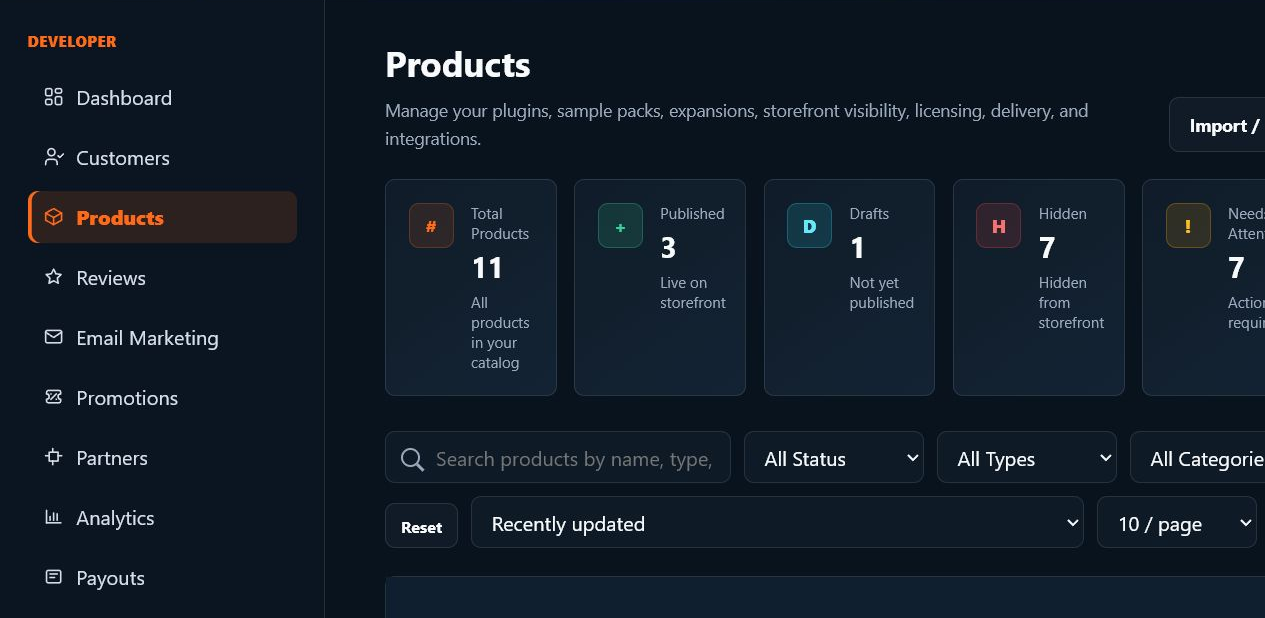
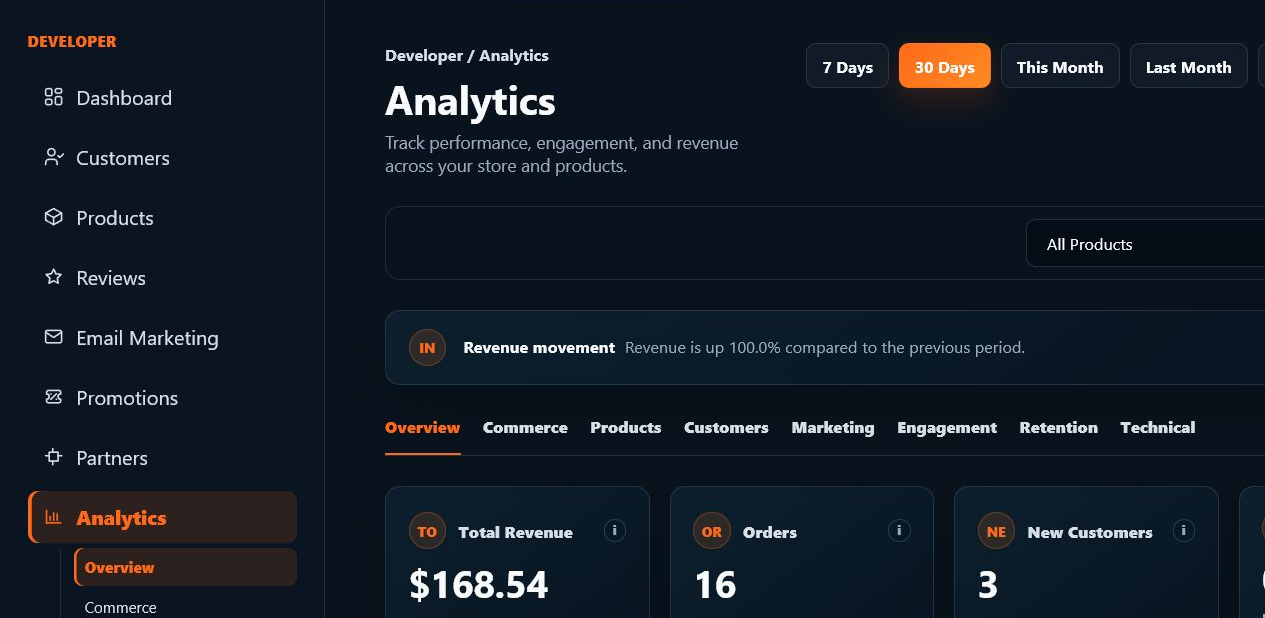
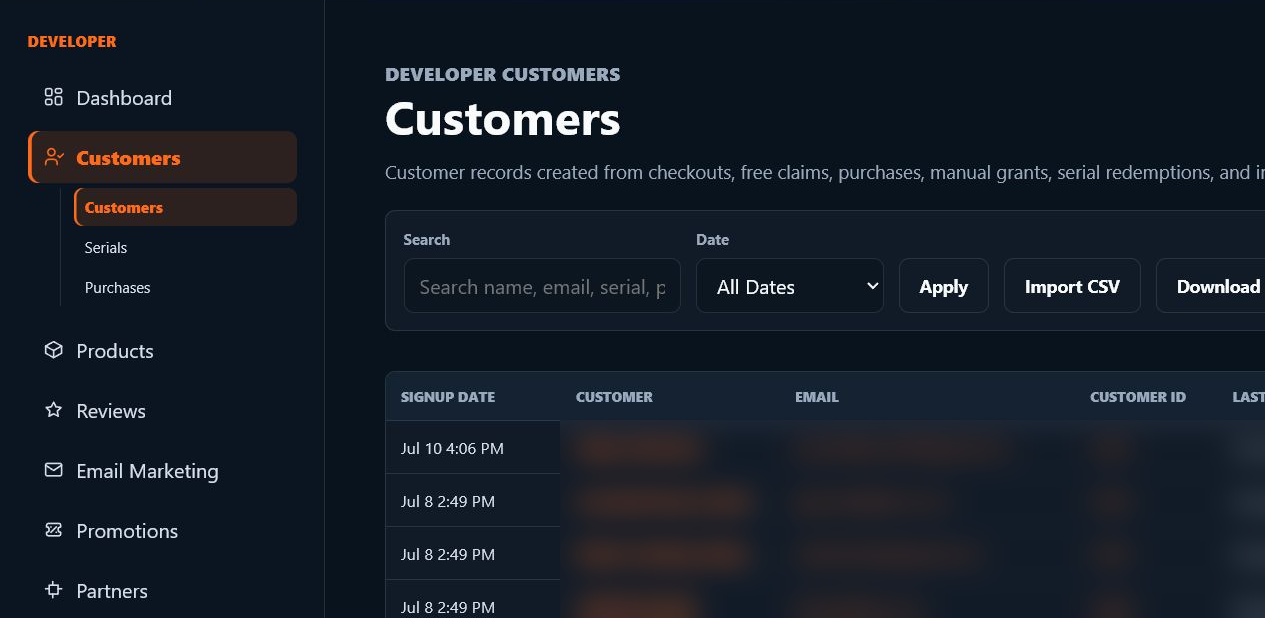
Screenshots and diagrams are placed near the workflows they explain, so visitors see the actual SoundSync surfaces instead of abstract feature claims.
Questions developers ask
Is SoundSync only for plugins?
No. SoundSync supports plugins, instruments, sample libraries, digital downloads, subscriptions, and custom audio tools.
Can I use my own site?
Yes. You can use hosted storefronts, embedded storefronts, standalone embeds, and custom domains depending on the surface you choose.
Does marketplace attribution add another fee?
No. SoundSync uses one 10% fee on SoundSync-processed sales, including marketplace-attributed sales.
Give staff access without sharing the owner login. belongs in one connected launch system.
Move from setup to customer access, growth, trust, and operations without rebuilding the business around disconnected services.