
SoundSync for JUCE and Native C++
A verified native licensing contract for your plugin.
The JUCE package is complete and current, with module wrapper, native licensing core, public state, ready-made license components, examples, docs, CMake support, and release tests.
SoundSync
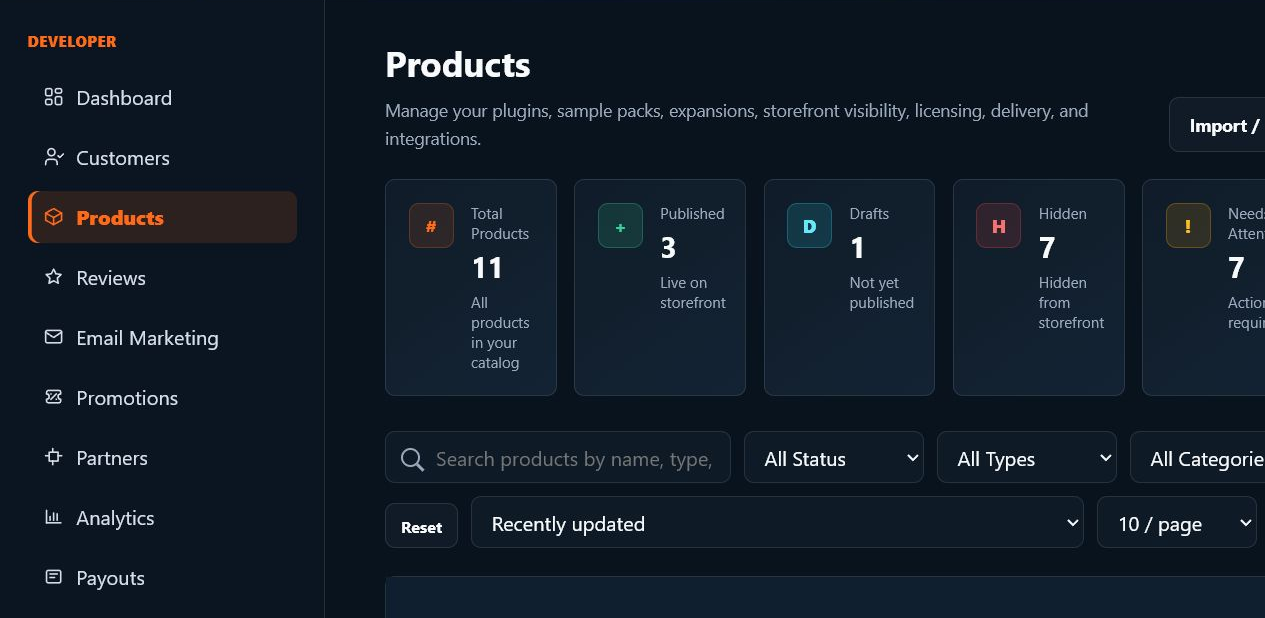
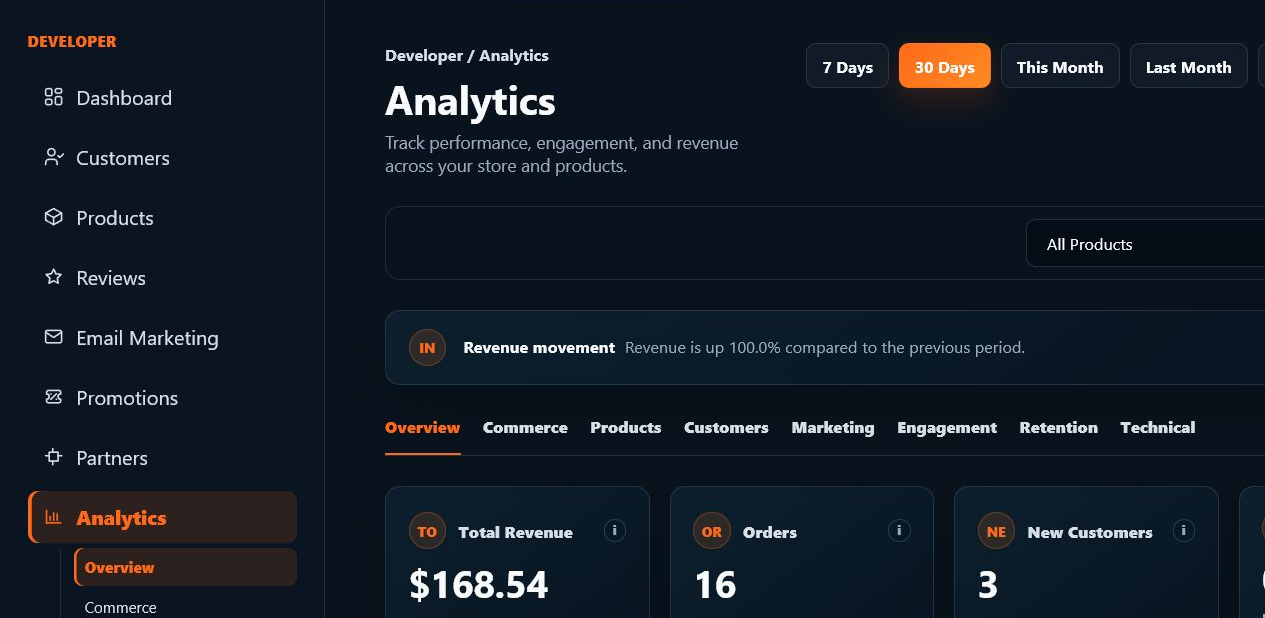
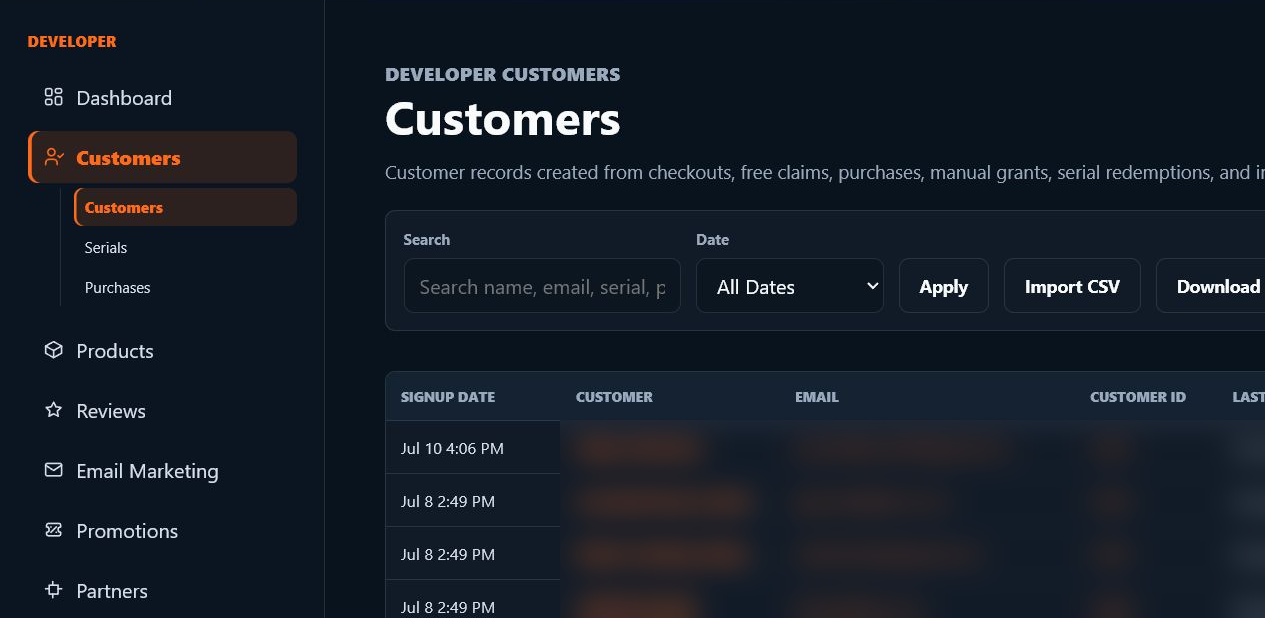
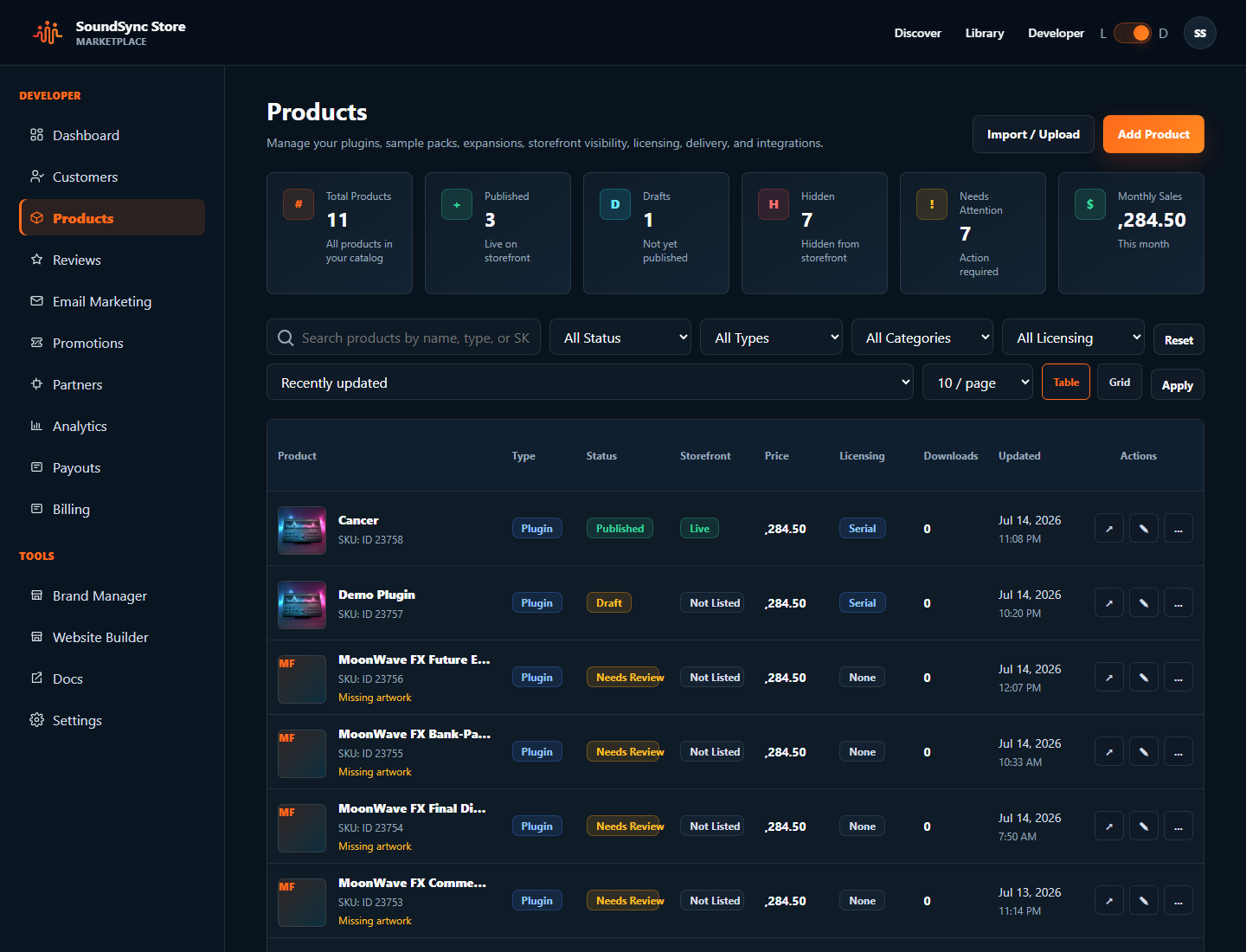
JUCE package status in the developer workspace
Developers can review package readiness, product licensing setup, credentials, and connection state before integrating the JUCE package into a plugin or standalone app.
SoundSync
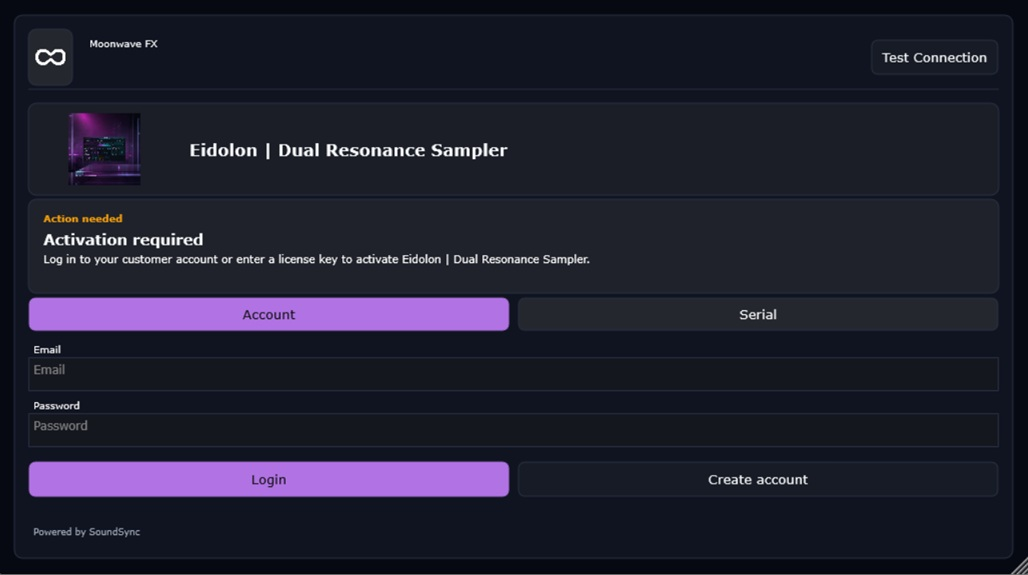
JUCE login activation
The JUCE login screen shows the activation-required state, product identity, customer account path, and connection test access inside a native-styled plugin UI.
SoundSync
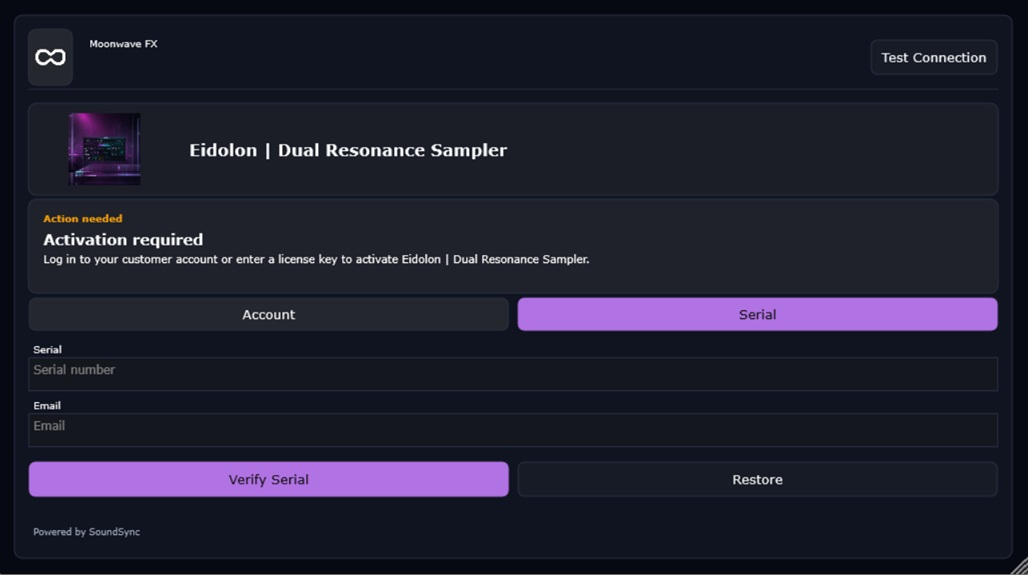
JUCE serial validation
The JUCE serial screen shows serial activation with a customer email field, final validation action, and the same product-scoped access decision used by the package.
SoundSync
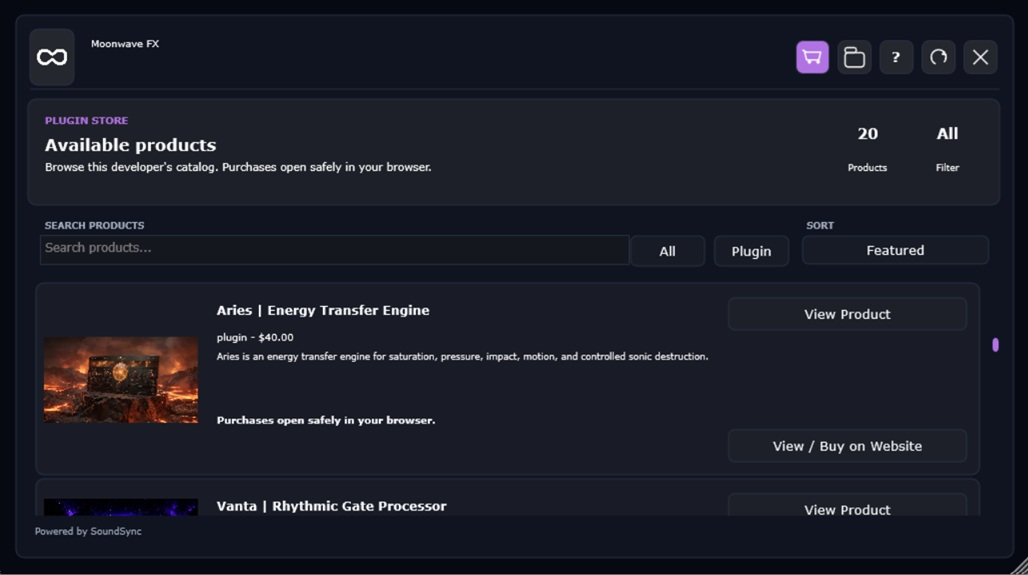
JUCE Store
The JUCE Store screen shows available products, product cards, and customer navigation inside the plugin storefront surface.
SoundSync
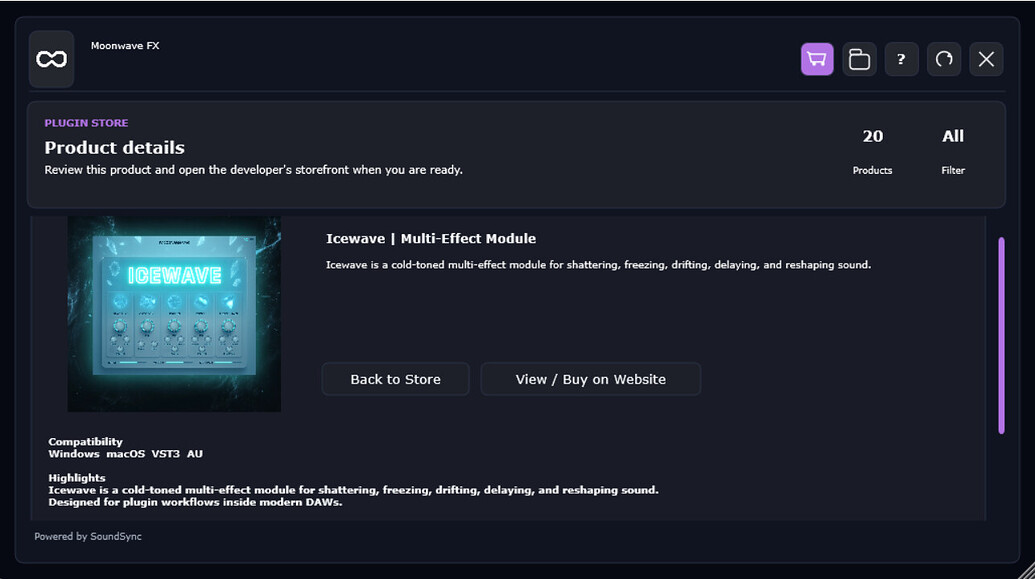
JUCE product detail
The JUCE product detail screen shows product artwork, product information, and the customer action to view or buy through the connected storefront.
SoundSync
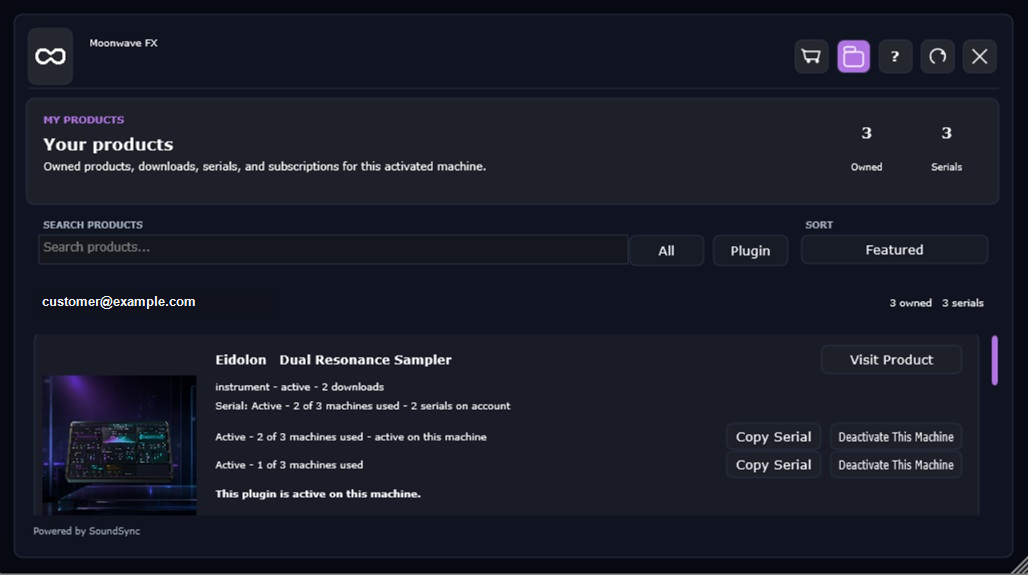
JUCE My Products
The JUCE My Products screen shows sanitized customer identity, owned products, serial state, and device deactivation actions after login.
SoundSync
What the JUCE package includes
The JUCE path is no longer only a raw HTTP guide. It is a package over the shared native licensing core.
JUCE module
modules/soundsync_juce exposes the package as a JUCE-friendly module boundary.
CMake build
CMakeLists.txt builds the package, examples, and tests around the shared native licensing core.
Client API
SoundSyncJuceClient wraps initialization, activation, validation, deactivation, restore, subscription state, and customer-library state.
Ready-made components
SoundSyncLicenseComponent and SoundSyncLicenseManagerComponent provide UI-ready state and behavior for serial, account, email, device, and recovery flows.
Public state
SoundSyncJucePublicState carries may-open-product, locked/allowed, retry, offline, subscription, branding, and safe URL fields to your UI.
Examples and docs
Plugin and standalone examples plus package docs cover quick start, lifecycle, device identity, storage, offline grace, subscriptions, troubleshooting, and release checks.
SoundSync
JUCE integration path
A JUCE product should keep network and storage work away from the audio thread and use public state for access decisions.
-
Generate package
Create or download the product-scoped JUCE package with public config, manifest, docs, examples, module, source, and native core files.
-
Add module or CMake target
Include the soundsync_juce module or build the package with the supplied CMake structure.
-
Initialize client
Configure API base, app ID, product ID, environment, package version, device identity, storage, and dispatcher.
-
Render licensing UI
Use the supplied components or map public state into your own JUCE component.
-
Gate product behavior
Use SoundSyncJucePublicState::mayOpenProduct as the product access decision and keep licensing work out of processBlock.
-
Run release tests
Run serial, account, email, validation, deactivation, offline, subscription, malformed-response, timeout, and multi-instance checks before shipping.
SoundSync
JUCE package responsibilities
SoundSync handles the licensing contract; your product remains responsible for audio behavior and release QA.
| Area | SoundSync package handles | Developer handles |
|---|---|---|
| Licensing | Credential context, activation, validation, deactivation, public state, errors, offline grace, and subscription-aware access. | Choosing activation mode and deciding where the license UI appears in the product. |
| Threading | Async dispatcher and package guidance for background work and callback delivery. | Never running SoundSync network or storage work from the audio thread. |
| Branding | Brand Manager snapshot/config, color validation, logo fallback, support URLs, and customer-safe status text. | Regenerating package artifacts when embedded brand values should change. |
| Examples | Plugin and standalone examples for package wiring and customer activation paths. | Adapting examples to your final plugin architecture and supported formats. |
Current package evidence
Repository evidence includes generated JUCE production/RC package artifacts, module/source/docs/examples, component and client tests, runtime matrix reports, VST3 process checks, and secret-scan reports. Continue to test the exact operating systems, plugin formats, stores, and host DAWs your product will support.
Build with the package, not scattered endpoint calls.
Use the JUCE package docs for the integration path, then keep the API reference nearby for request details and error handling.
SoundSync
Product proof
Screenshots and diagrams are placed near the workflows they explain, so visitors see the actual SoundSync surfaces instead of abstract feature claims.
Questions developers ask
Is SoundSync only for plugins?
No. SoundSync supports plugins, instruments, sample libraries, digital downloads, subscriptions, and custom audio tools.
Can I use my own site?
Yes. You can use hosted storefronts, embedded storefronts, standalone embeds, and custom domains depending on the surface you choose.
Does marketplace attribution add another fee?
No. SoundSync uses one 10% fee on SoundSync-processed sales, including marketplace-attributed sales.
A verified native licensing contract for your plugin. belongs in one connected launch system.
Move from setup to customer access, growth, trust, and operations without rebuilding the business around disconnected services.